
Before you start
- You have a RaceDayReady account with a planned bike workout.
- You have a Zwift account.
- You can access the computer or device where Zwift runs.
Workflow
1
Open the workout in RaceDayReady
Open your dashboard and select the workout you want to export to Zwift.
2
Export in Zwift format
Click Export workout and choose Export to Zwift. The file will be downloaded to your device.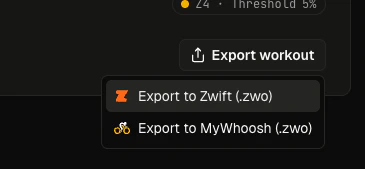
3
Copy the file into Zwift workouts
Move the downloaded
.zwo file into your Zwift custom workouts directory. On macOS, this is usually
~/Documents/Zwift/Workouts/{some - number}/. You can also use the Zwift app to import the file.4
Start the workout in Zwift
Open Zwift, go to Workouts, find your custom workout, and start riding!
Having trouble?
See the Zwift custom workout docs for more help.Last updated: April 1, 2026