
Before you start
- You have a RaceDayReady account with a planned bike workout.
- You have a MyWhoosh account.
- You can access the computer or device where MyWhoosh runs.
Workflow
1
Open the workout in RaceDayReady
Open your dashboard and select the bike workout you want to export.
2
Export in MyWhoosh format
Click Export workout and choose Export to MyWhoosh. RaceDayReady downloads a 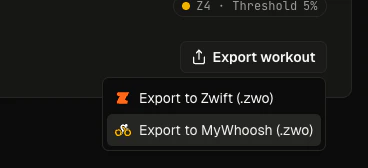
.zwo workout file (MyWhoosh shares Zwift’s .zwo format).3
Open the MyWhoosh workout editor
Open the MyWhoosh Workout Editor at
workout.mywhoosh.com/workouts-library and select Create New.
4
Import the file in MyWhoosh
In the editor, import the downloaded 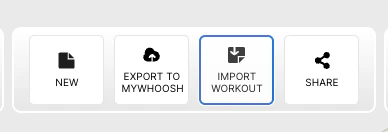
.zwo file from RaceDayReady.5
Add the workout to your account
Export the uploaded workout to your MyWhoosh account workout library.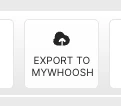
6
Start the workout in MyWhoosh
Go to your workout library in MyWhoosh, select the imported workout, and start riding.
Last updated: March 25, 2026