> ## Documentation Index
> Fetch the complete documentation index at: https://docs.racedayready.app/llms.txt
> Use this file to discover all available pages before exploring further.
# Export a workout to MyWhoosh
> Move a workout from RaceDayReady into MyWhoosh
## Before you start
* You have a RaceDayReady account with a planned bike workout.
* You have a MyWhoosh account.
* You can access the computer or device where MyWhoosh runs.
## Workflow
Open your dashboard and select the bike workout you want to export.
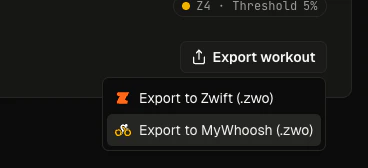
Click **Export workout** and choose **Export to MyWhoosh**. RaceDayReady downloads a `.zwo` workout file (MyWhoosh shares Zwift's `.zwo` format).
 Open the MyWhoosh Workout Editor at
[workout.mywhoosh.com/workouts-library](https://workout.mywhoosh.com/workouts-library) and select **Create New**.
In the editor, import the downloaded `.zwo` file from RaceDayReady.
Open the MyWhoosh Workout Editor at
[workout.mywhoosh.com/workouts-library](https://workout.mywhoosh.com/workouts-library) and select **Create New**.
In the editor, import the downloaded `.zwo` file from RaceDayReady.
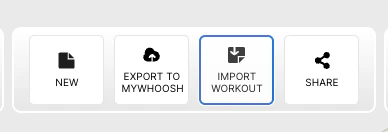 Export the uploaded workout to your MyWhoosh account workout library.
 Go to your workout library in MyWhoosh, select the imported workout, and start riding.
Last updated: March 25, 2026
Go to your workout library in MyWhoosh, select the imported workout, and start riding.
Last updated: March 25, 2026